Engineering organizations put different spins on what’s important for managing their software and license usage. They claim current methods are adequate, yet they fall short and are inefficient. License Asset Manager with Usage Monitoring (LAMUM) focuses on best practices for engineering software license management and monitoring for efficiency.
Centralized Repository for Asset Information
Often overlooked is consolidating asset information. LAMUM features provides this best practice and combined with license usage monitoring and managing for efficiency is the ideal solution to deploy more best practices! Understanding current usage with visibility of historical trends is essential, and best to have asset information ready to reference for renewals, compliance, and audit-readiness. Information like contacts, POs, invoices, SLAs, and cost can be maintained multiple ways. That’s the problem! Many disparate methods like spreadsheets, documents, and hardcopies maintaining this information is impractical. It’s not easily accessible by all and difficult to find auditable items.
Knowing What You Pay For
is essential and many have a good idea of what they own for software including seats, cost, usage restrictions, and expirations. Count on the all-in-1 solution that has all asset information and attachments combined with the license file data ingested by LAMUM to facilitate reconciliation of what you pay for.
Proactively Prepare for Renewals
Don’t wait for your vendor to contact you. Get started 45-60 days in advance by refencing LAMUM expiration reports and email alerts. There’s ample license information and usage trends to properly prepare and determine what you need. Be proactive and prepared for contract and license renewals!
Prepare for the Budget Cycle
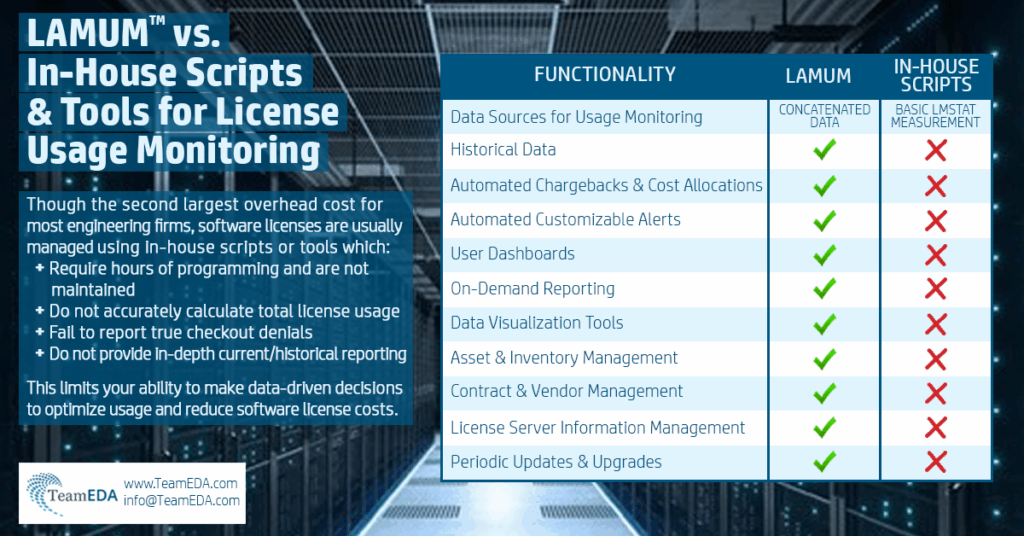
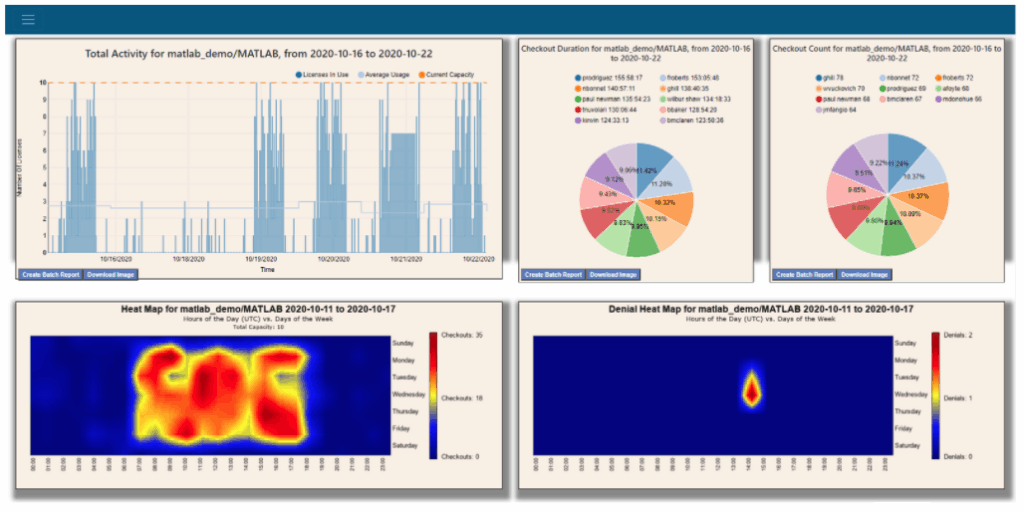
Just as valuable as renewal information is historical usage to analyze trends, peaks, and ultimately determine what you may need for the next budget cycle. Knowing what you pay for, knowing what you’re using, and knowing what you need for renewals and budgets is critical. Viewing logs and in-house scripts are no match for data-driven analytics for historical perspective on new product introduction license needs.
Current Checkouts and License Harvesting
Customers say that the usage stat command or GUI is adequate. Yes, but can they display a single pane of all active tools with details that include checkout duration to sort by long checkouts, ability to send warnings and alerts for long checkouts that may be idle, a hyperlinked username to display LDAP information, and even harvest the license from that long checkout? Deploy a best practice solution and not the less than adequate method.
Comprehensive Usage Reporting
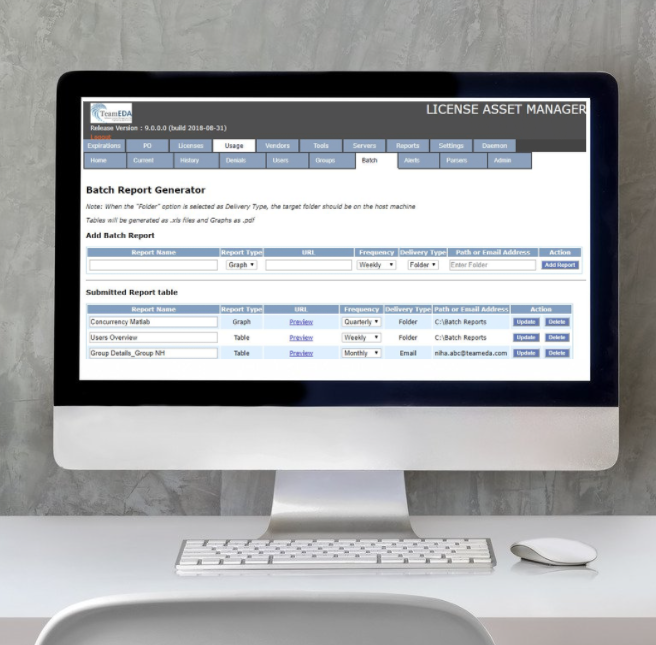
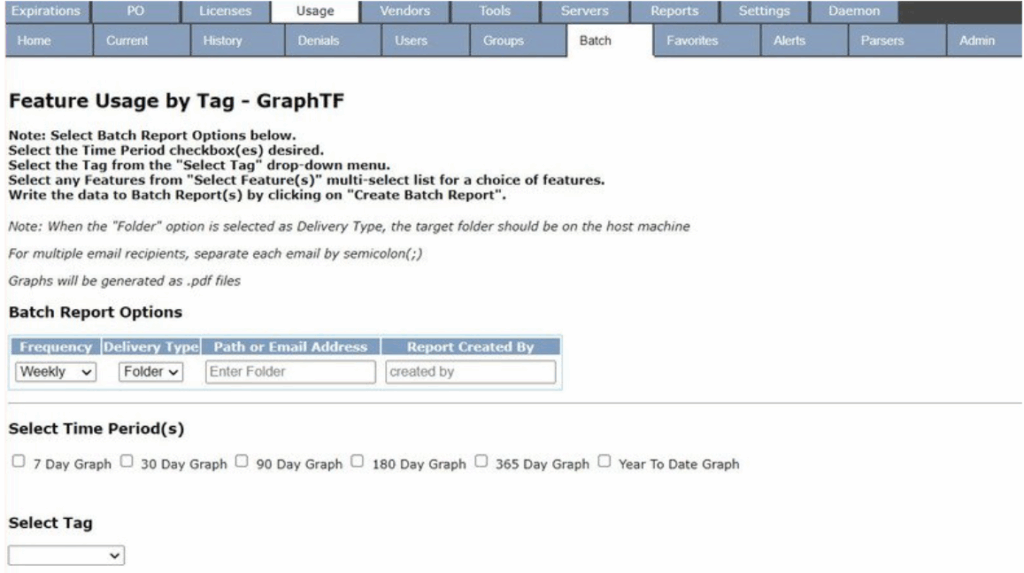
Viewing a log is not efficient and reporting shouldn’t be an extra option and cost for the engineering software license management solution. Software license management best practices require features that provide current and historical reports with selectable criteria that can be saved for on-demand or batch reporting to be used in an instant or generated for future software license usage review. A web-based user interface replaces client installations with URLs to be repurposed as hyperlinks
Alerts and Notifications for License Management
– Reports provide perspective to make decisions for license capacity. As much as you’d like to be prepared for the unexpected through data analysis, you need reactive and proactive notification. Alerts help isolate capacity issues to quell user frustration. Proactive notification of capacity and denials thresholds help to identify license abuse. Expiration alerts provide ample notice to secure license renewals in time. Daemon-down alerts enable fast response before impacting productivity on a larger scale.
Cost Savings and ROI with Efficient License Management
Our mantra is “know what you pay for, know what you’re using, know what you need.” The focus for many is on simply having more than enough licenses to avoid denials and impact on productivity and revenue vs managing for efficiency and cost savings. License administrators view current usage to determine how many licenses are used vs capacity and overlook licenses not used. It’s not surprising to see a huge gap between them. What a great opportunity for cost savings when I see license capacity of 150 when trends show the most licenses used is 46. Do the math on cost per license and potential savings to appreciate the ROI for a solution like LAMUM.
Request a demo today for LAMUM, the TeamEDA engineering software license management system!
FAQs
We’re using many ways to capture our engineering software asset information, but mostly using Microsoft Excel spreadsheets. Can the information in the spreadsheets be transferred into LAMUM?
License asset information can be entered manually for each specific line item: Vendor, Tool, PO, Server, Daemon, and License which ties each line item together. To transfer data for many assets, CSV templates in the proper format for import are downloadable from LAMUM to populate with the required and optional information to be imported into LAMUM. Existing Microsoft spreadsheets could be cross-referenced or reformatted in the proper format. Many assets to be configured for usage monitoring can be imported, too.
What’s the value of LAMUM when our vendors provide a GUI at no extra cost that shows current licenses checked out already?
LAMUM provides much more than current license usage and in much more detail than the vendors. Consider a single pane to view all current license usage at once and understanding licenses in use vs capacity, as well as the severity or threat of exceeding capacity. Add alerts to that to be proactive in policing long checkout abuse and replenishing the pool of licenses.
How do you correlate compliance and audit-readiness between asset information and license usage?
The license asset information and up to eighteen (18) documents provide necessary compliance and audit-readiness information to reference with your vendor. Through Active Directory (LDAP) synchronization, LAMUM can capture pertinent information for the usernames checking out licenses relative to location to reference to ensure that engineering groups are adhering to license restrictions.
Can you explain cost savings opportunities and ROI with LAMUM?
With LAMUM cost savings is much more than just reducing the number of licenses needed to save money. We look at reducing license counts, preventing further spend through efficient usage, consolidating methods to maintain license information and usage, and reducing labor costs for to manage the engineering software license usage and monitoring for efficiency. You’ll save on all fronts and easily absorb the cost of LAMUM within the available software spend cap.
When we run out of licenses for our FlexLM software, we just do lmremove to check licenses back in. Why is LAMUM better for license harvesting?
LAMUM doesn’t just focus on current usage statistics. It calculates duration of use for licenses currently checked out to identify long checkouts and potentially long checkout abuse. For FlexLM, we can REMOVE a license to check it back in, but our best practice is to assess long durations, use long checkout warnings and alerts to change behavior, and using the username’s Active Directory information to identify the email or phone number to attempt to contact the user to check the license back in if idle for another user to use.